Traceability connects every requirement to the test cases, defects, and decisions that verify it. It’s how you prove coverage — and how you catch gaps before go-live. This guide walks through the Traceability page.
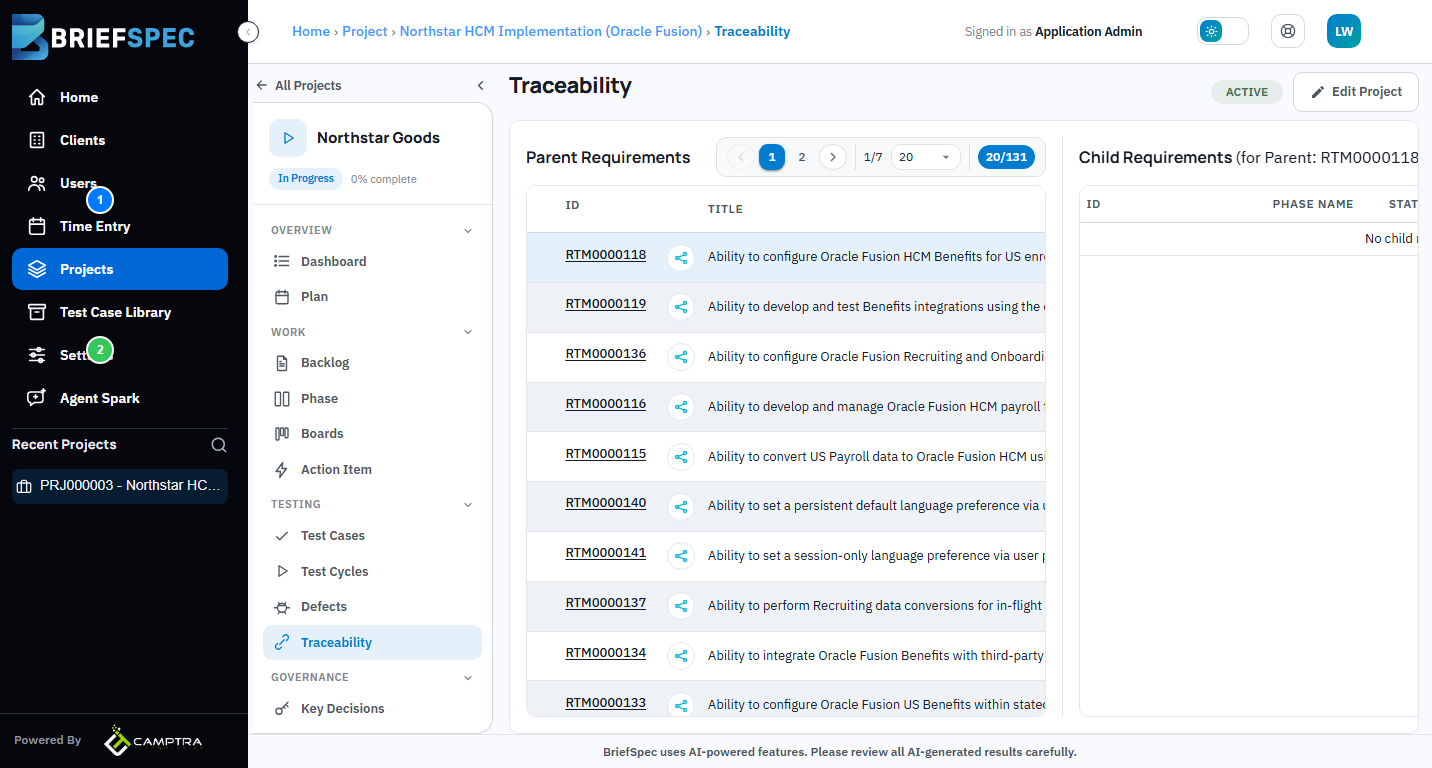
① Parent Requirements
The Parent Requirements table lists every high-level requirement — typically sourced from your SOW or contract. Each row shows the RTM ID and title. Click a row to expand and see all linked child requirements, test cases, defects, and key decisions.
② Mindmap View
Click the mindmap icon next to any requirement to open an interactive visual traceability map. The mindmap shows the full chain: parent requirement → child requirements → test cases → defects → decisions. Zoom, pan, and click any node to jump directly to that artifact.
③ Coverage & Gaps
The Traceability Score on the project dashboard gives you a real-time percentage of requirements with full test coverage. Requirements without linked test cases or defects show as gaps — click through to close them before your next phase gate review.