Test Cycles are formal testing events — each one groups test cases, assigns testers, and tracks independent per-tester results. This guide walks through the Test Cycles page.
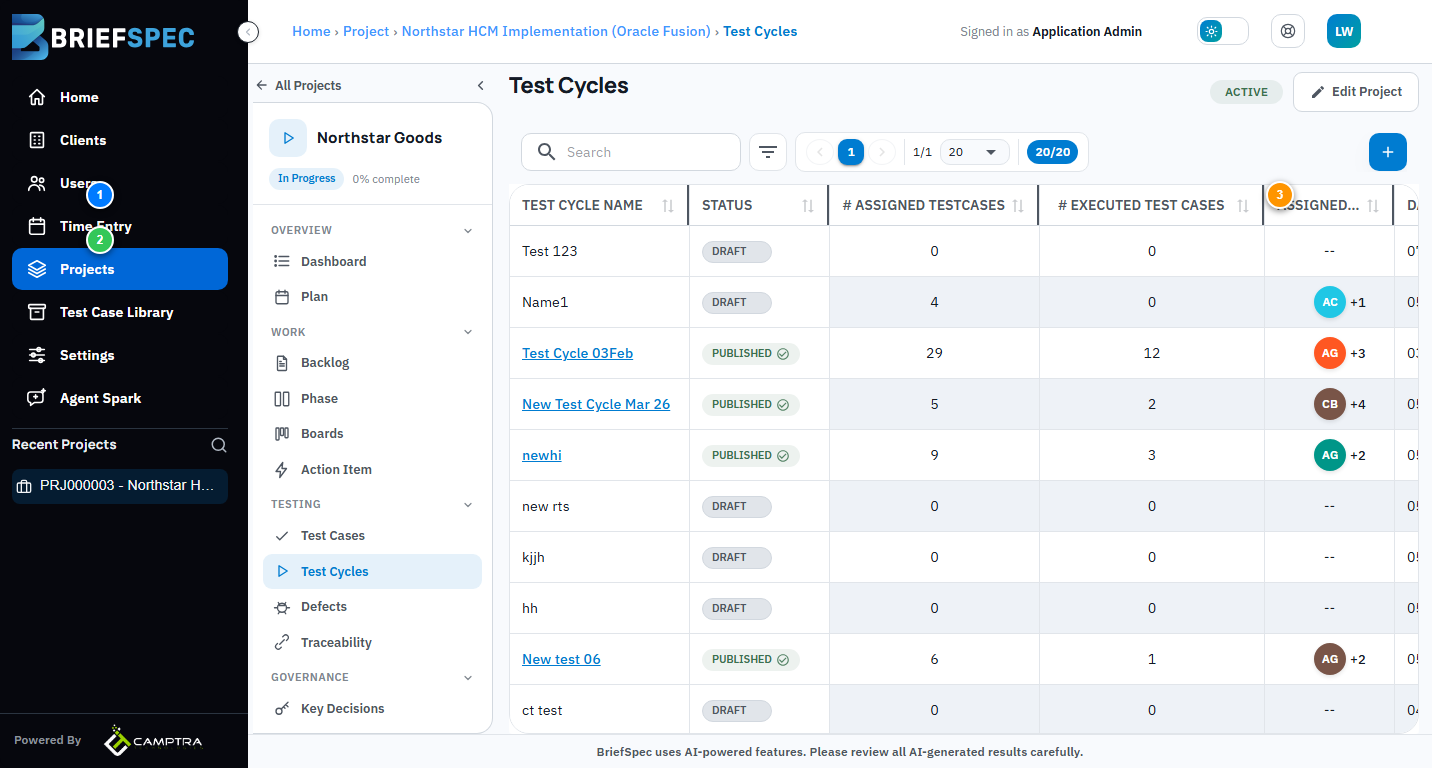
① Test Cycle Table
Each row is a test cycle with its Name, Status (Draft/Published/Complete), # Assigned Test Cases, # Executed, Assigned To (tester avatars), Date Range, and attached File. Click any cycle name to open its execution dashboard.
② Cycle Status & Execution
Cycles start as Draft. When ready, publish them to lock the test case set and notify assigned testers. Testers execute independently — each tester logs their own pass/fail results on each test case. The execution dashboard shows a live summary per tester and per test case.
③ Add Test Cycle
Click Add Test Cycle to create a new testing event. Give it a name, set a date range, select which test cases to include, and assign testers. You can also import test case assignments from an Excel file using the download template.